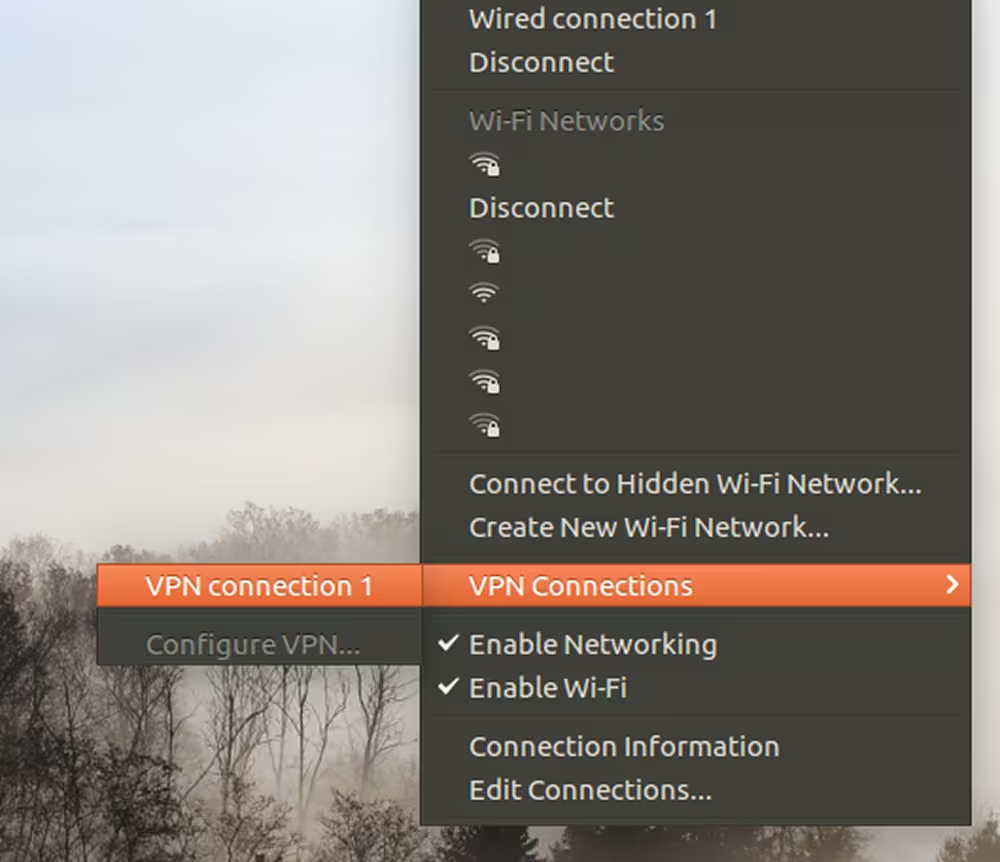


How to set up L2TP over IPsec for iDRAC on Linux Ubuntu 16.04 and 16.10
The integrated out-of-band management platform on Dell servers is called iDRAC. By default, access to the iDRAC interface of your servers is provided via a VPN.
If necessary, you can allow access without a VPN by enabling temporary public access to the iDRAC interface. This can be activated in the customer portal on the server details page under the OOB section. Simply select Enable public access for 24 hours.
Once activated, public access remains enabled for the next 24 hours but can be manually disabled at any time.
For security reasons, VPN access remains the preferred method and should be used whenever possible. This guide explains how to access iDRAC using a VPN.
Finding VPN credentials
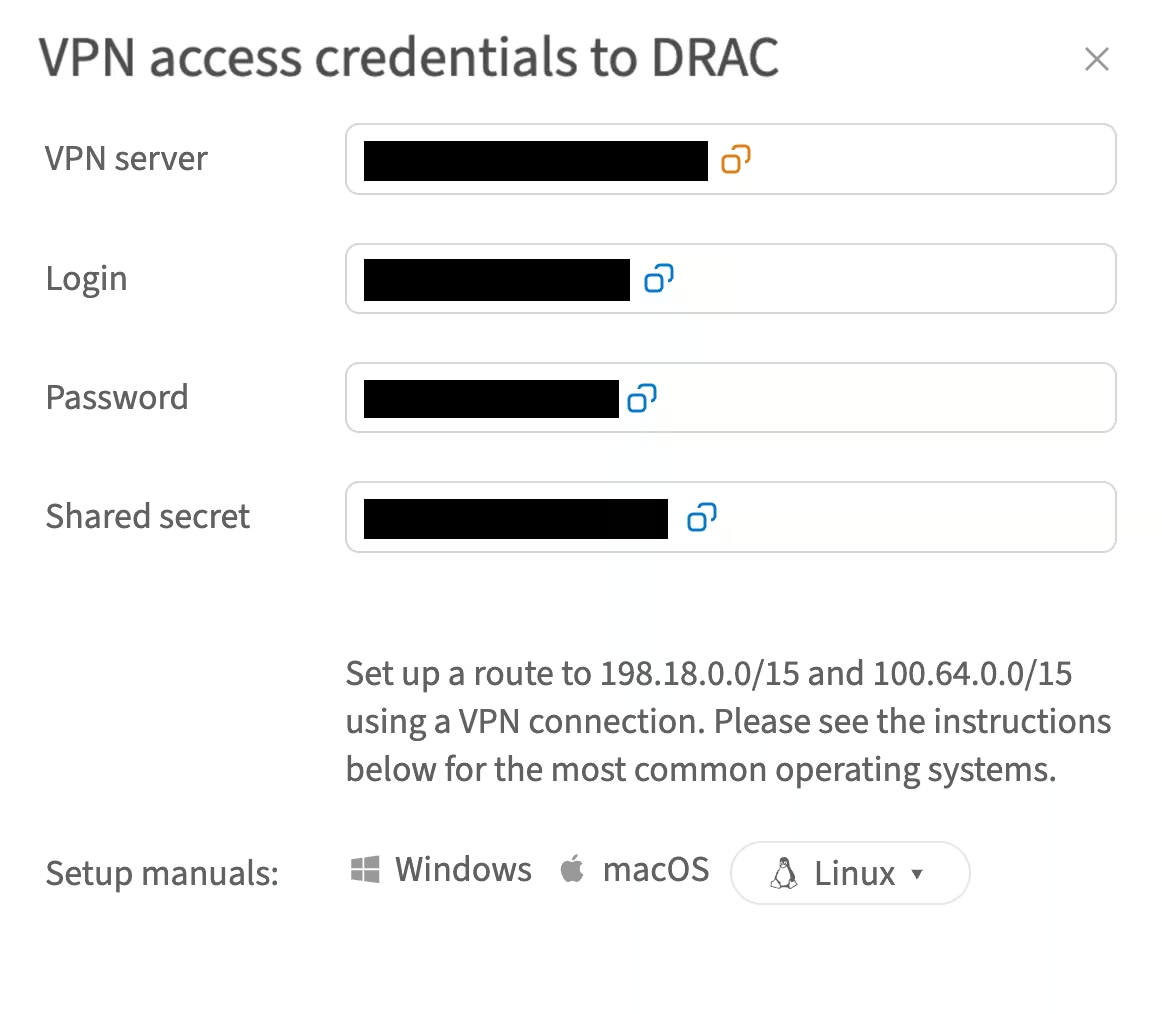
Credentials and instructions for setting up a VPN connection to the OOB network are available in the customer portal. To access them:
-
Navigate to Networks → VPN access → VPN to DRAC
-
Select the location and click Credentials
-
In the opened window, you will find the credentials:
Installation
-
Update the list of available packages:
sudo apt update -
Install the required packages:
sudo apt install intltool libtool git network-manager-dev libnm-util-dev libnm-glib-dev libnm-glib-vpn-dev libnm-gtk-dev libnm-dev libnma-dev ppp-dev strongswan libdbus-glib-1-dev libsecret-1-dev libgtk-3-dev libglib2.0-dev xl2tpd -
Reinstall Network Manager:
git clone https://github.com/nm-l2tp/network-manager-l2tp.git cd network-manager-l2tp autoreconf -fi intltoolize ./configure --disable-static --prefix=/usr --sysconfdir=/etc --libdir=/usr/lib/x86_64-linux-gnu --libexecdir=/usr/lib/NetworkManager --localstatedir=/var --with-pppd-plugin-dir=/usr/lib/pppd/2.4.7 make sudo make install -
Remove AppArmor IPsec settings:
sudo apparmor_parser -R /etc/apparmor.d/usr.lib.ipsec.charon sudo apparmor_parser -R /etc/apparmor.d/usr.lib.ipsec.stroke -
Replace
x2ltpdwithlibcap:sudo apt remove xl2tpd sudo apt install libpcap0.8-dev wget https://github.com/xelerance/xl2tpd/archive/v1.3.6/xl2tpd-1.3.6.tar.gz tar xvzf xl2tpd-1.3.6.tar.gz cd xl2tpd-1.3.6 make sudo make install -
Reboot your system:
sudo reboot
Now your Network Manager can create L2TP connections.
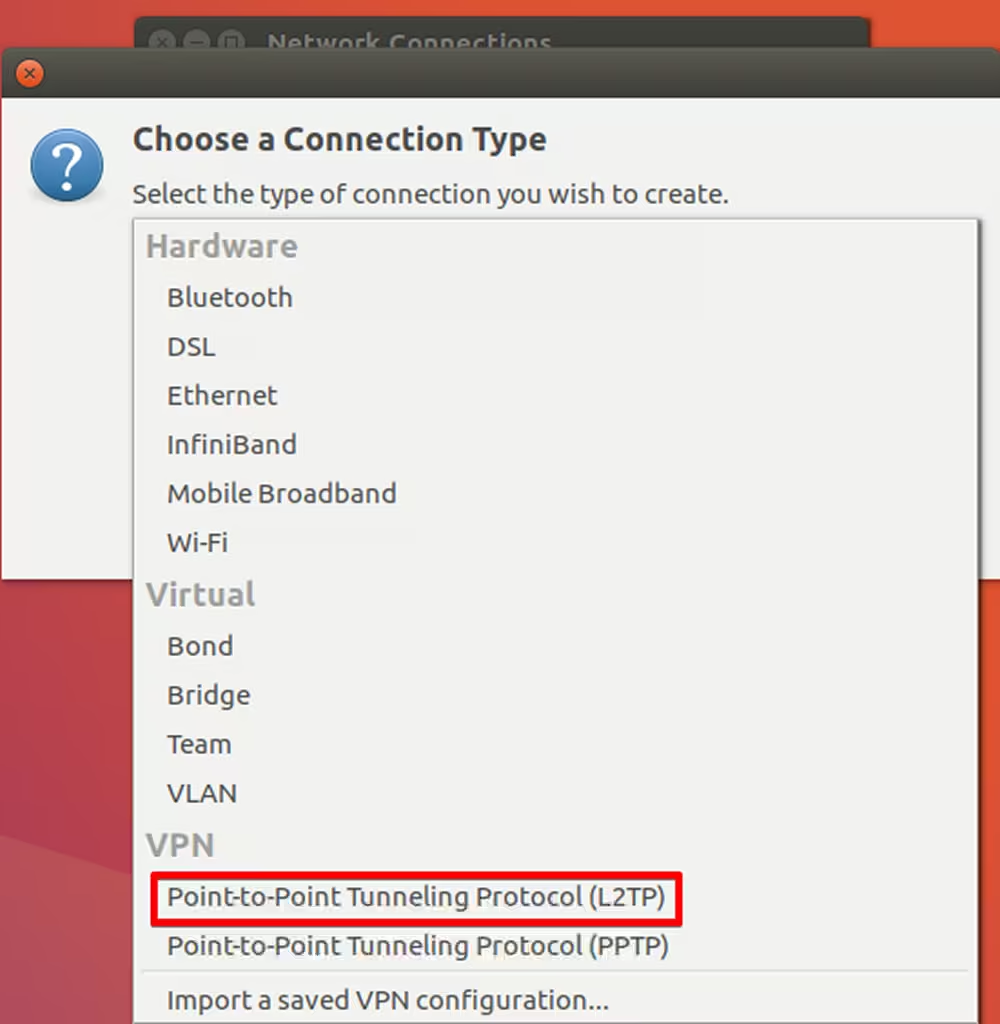
Setting up a new VPN connection
-
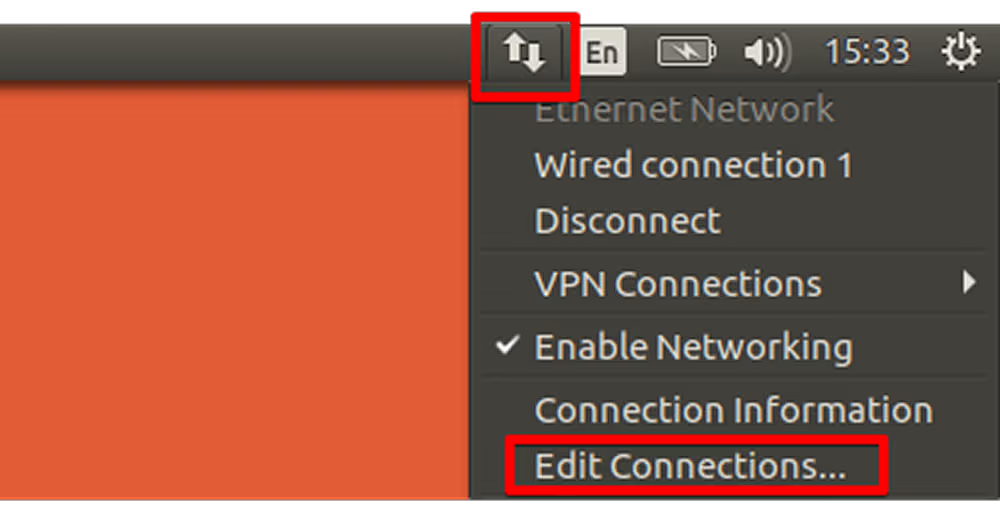
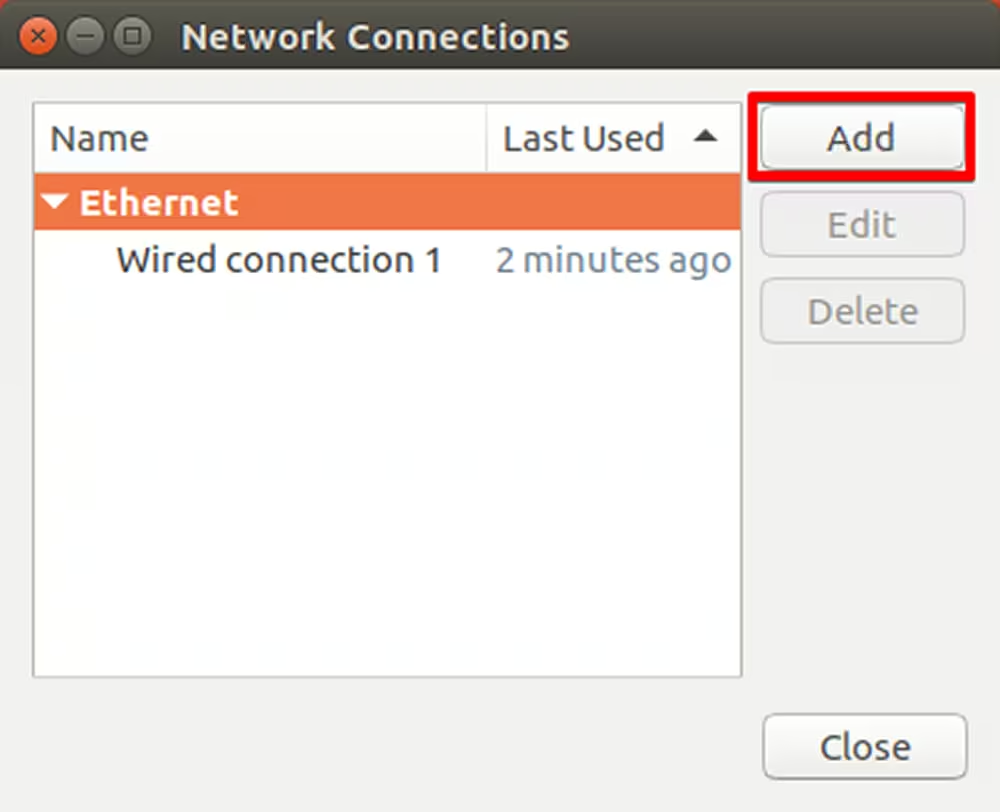
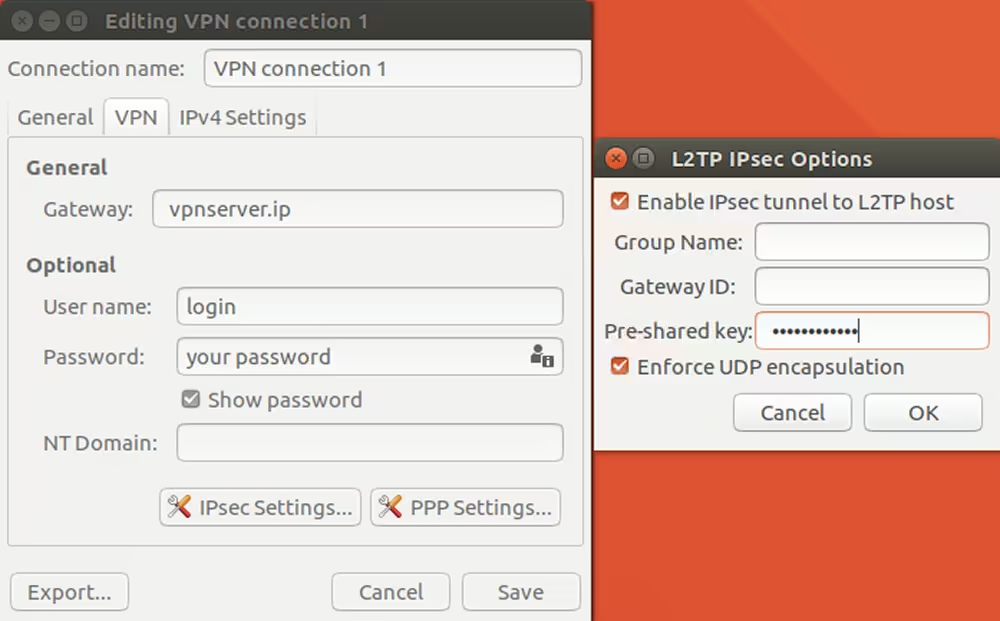
Follow the steps shown in the screenshots:
-
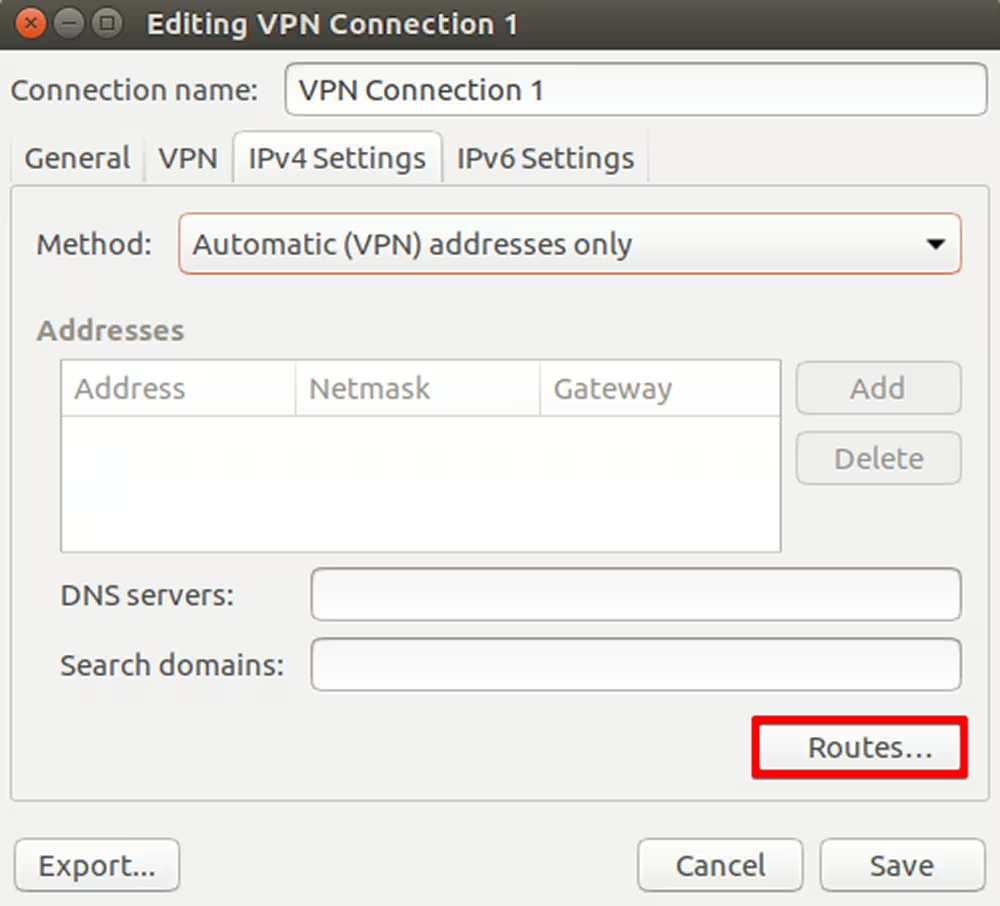
Click Routes
-
To enable access to the iDRAC network, add the following routes by clicking Add:
198.18.0.0/15
100.64.0.0/15
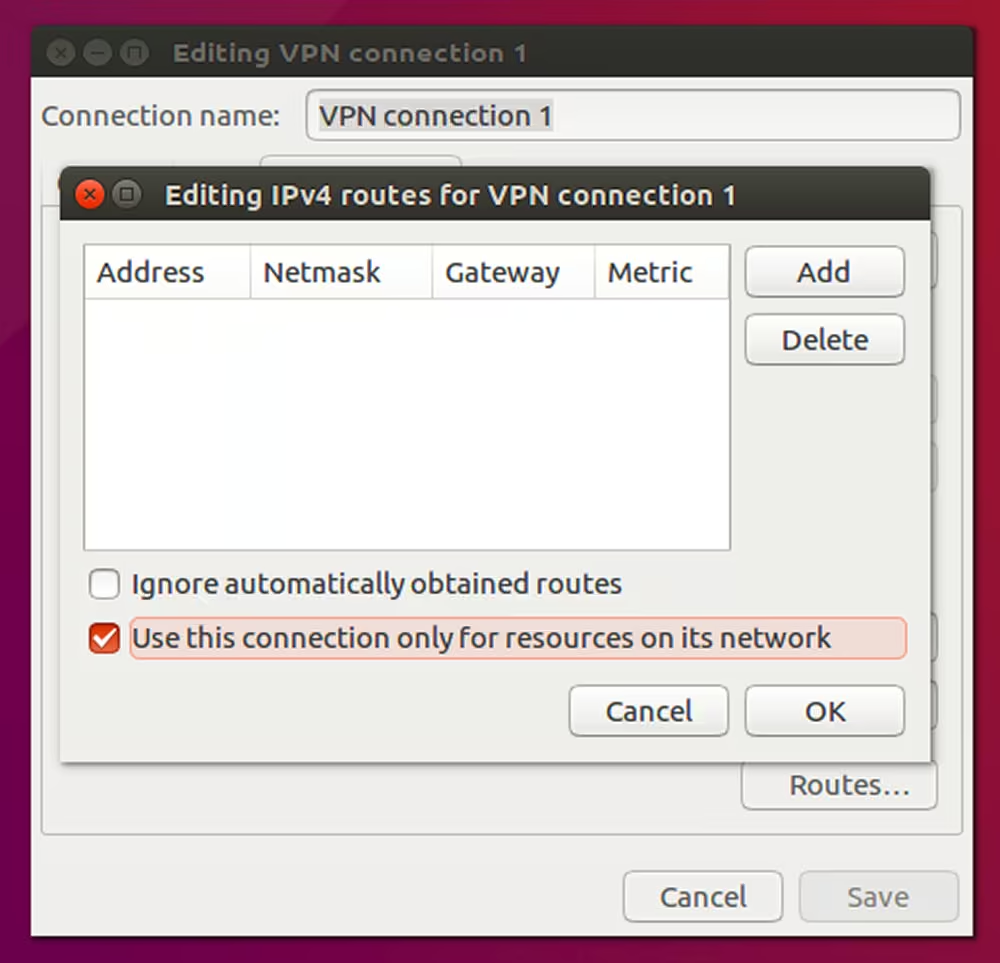
Now you can establish a VPN connection and access iDRAC: